
| Models | FLUX1.1 [pro] and FLUX1.1 [pro] Ultra by Black Forest Labs, called through the fal API |
|---|---|
| Mode | Text to image only; no reference images or editing on this page |
| Output size | [pro]: about 1 megapixel (1K) · Ultra: about 4 megapixels (2K), including 21:9 panoramas |
| Waiting | Results usually arrive while you stay on the page; Ultra images take longer |
| Credits per image | FLUX 1.1 Pro: 4 · Ultra: 5 |
| Commercial use | Allowed for all users, per our Terms |
| What it can't do | No photo editing, no multi-reference, no 4K; use FLUX 3 Image or FLUX.2 for those |
What is FLUX 1.1 Pro?
FLUX1.1 [pro] is a text-to-image model from Black Forest Labs' FLUX.1 generation, released in 2024. You type a prompt and get one image, usually about 1 megapixel. BFL describes it as fast and reliable, with strong prompt adherence. FLUX 1.1 Pro Ultra is the high-resolution version, at about 4 megapixels per image.
FLUX 1.1 Pro was the model many "FLUX Pro AI" tools were built on before Kontext, FLUX.2 and FLUX 3 arrived. People still choose it because they know how it responds to prompts, and because a plain text-to-image job doesn't need an editing model.
Clean illustration from a short prompt
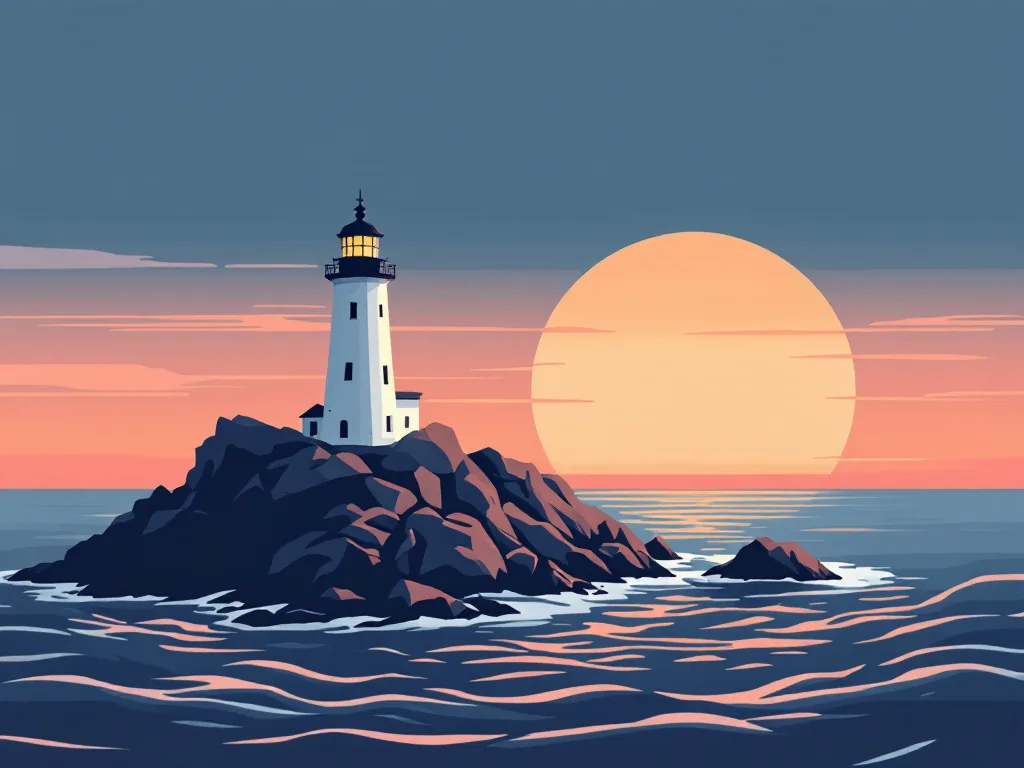
FLUX 1.1 Pro handles graphic styles as well as photos. The lighthouse came from a short prompt asking for a flat vector-style illustration with a limited palette of navy, coral and cream. The model kept to those three colors, used clean geometric shapes and left the composition simple enough for a poster or a blog header.
For flat illustration, name the palette and say "clean shapes" or "flat vector style". Leave out camera terms, which push the model back toward photography.
Food and product photos at 1K

This top-down ramen shot is a standard FLUX 1.1 Pro result at 1K. The soft-boiled egg, the noodle texture and the glossy broth all hold up at full size, and the slate surface gives the dark, moody look the prompt asked for.
At 1K, FLUX 1.1 Pro is a solid choice for blog images, menu drafts and social posts. When you need a larger file for print or a wide banner, move the same prompt to Ultra.
What is the difference between FLUX 1.1 Pro and Ultra?
FLUX 1.1 Pro Ultra makes larger images. A standard FLUX 1.1 Pro image is about 1 megapixel, while Ultra outputs about four megapixels and supports wide formats such as 21:9. Both versions are text to image only on flux-3image. Ultra costs more credits per image than FLUX 1.1 Pro.
Wide panoramas with FLUX 1.1 Pro Ultra
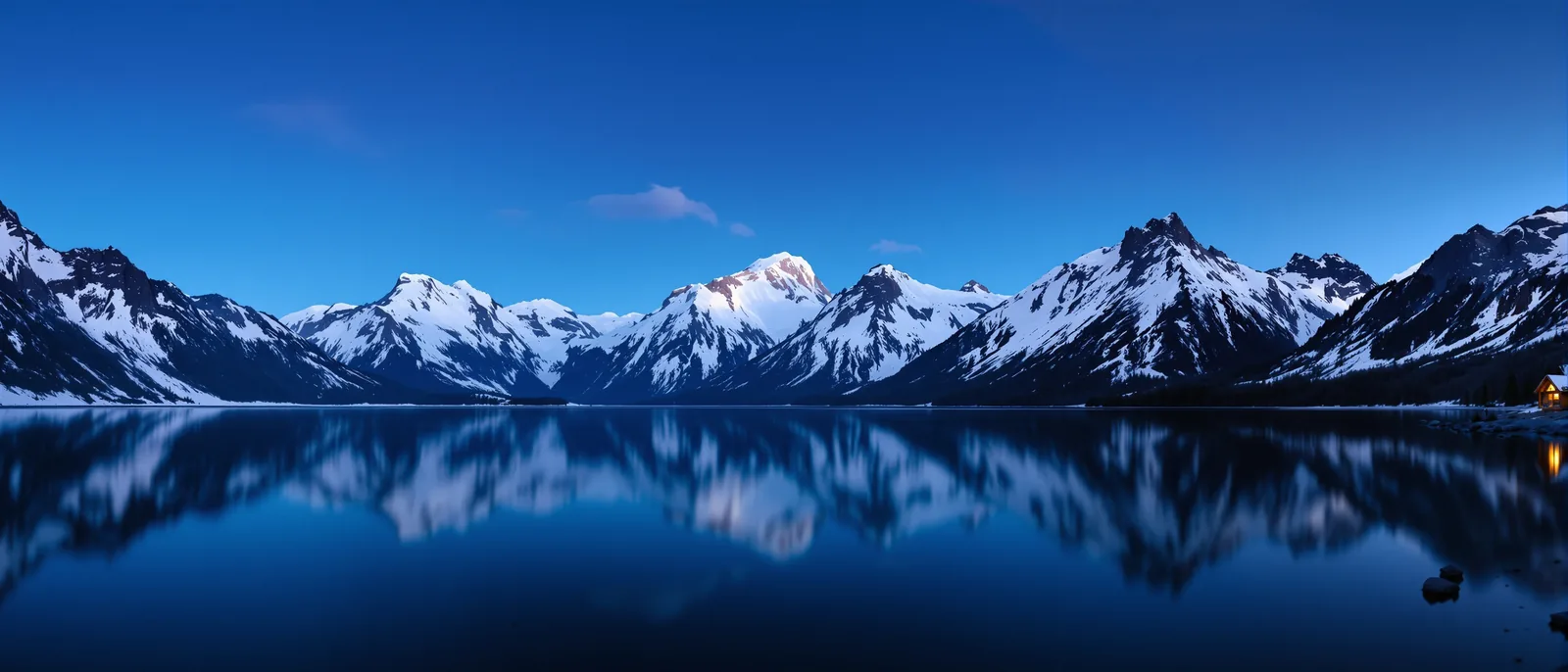
The panorama above is a FLUX 1.1 Pro Ultra image at 21:9, about 3,100 pixels wide. At that size the peaks stay sharp edge to edge, and the tiny lit cabin on the right shore is still a recognizable cabin. Wide Ultra images work well as website headers, desktop wallpapers and print panoramas.
Candid street photos with FLUX 1.1 Pro Ultra
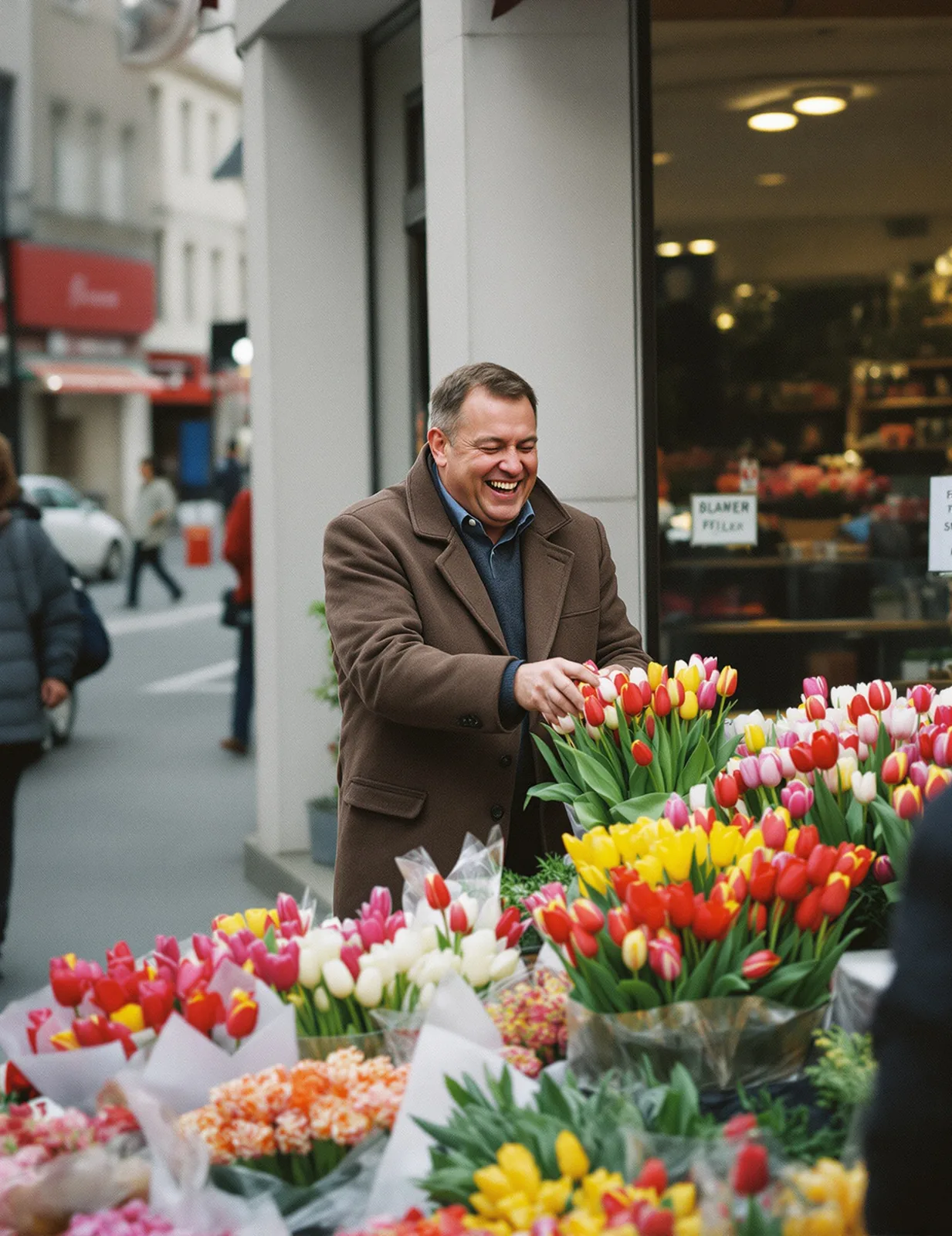
People photos benefit from Ultra's extra pixels. This flower-stall scene is a 2:3 Ultra image of about 4 megapixels. The man's laugh, the wool texture of his coat and every tulip in the buckets stay sharp. The overcast light gives the soft, even look of a real morning on the street.
To get a candid feel, describe the moment rather than the pose ("laughing while buying tulips") and add photographic cues such as "natural colors" and "slight film grain". Ask for "no signs or text" when you want a clean background, because street scenes otherwise tend to fill up with invented lettering.
How to use FLUX 1.1 Pro
- Choose FLUX1.1 [pro] for 1K images, or FLUX1.1 [pro] Ultra for about 4 megapixels.
- Write the prompt. Lead with the subject, then style, setting, light and camera.
- Pick an aspect ratio. Ultra's wide ratios such as 21:9 suit banners and panoramas.
- Generate. Run the prompt on FLUX 1.1 Pro first, then render the keeper on Ultra.
Is FLUX 1.1 Pro free?
FLUX 1.1 Pro is not free on flux-3image. Each image costs credits, because every request is a paid call to Black Forest Labs' model through the fal API. Accounts created with Google sign-in get a few free credits, enough for a first FLUX 1.1 Pro test. Ultra costs more credits per image than standard FLUX 1.1 Pro.
FLUX 1.1 Pro or a newer FLUX model?
Black Forest Labs now recommends FLUX.2 for most new work, and FLUX 3 Image is the newest model of all. Pick a newer model when you need to edit a photo, combine reference images, render readable text or reach 4K. Stay with FLUX 1.1 Pro when you want plain text to image from a model whose behavior you already know.
| Need | Model |
|---|---|
| Plain text to image, familiar results | FLUX 1.1 Pro |
| Large or wide images from text | FLUX 1.1 Pro Ultra |
| Photoreal images plus editing | FLUX 2 Pro |
| 1–10 references, 4K, precise edits | FLUX 3 Image |
Is FLUX 1.1 Pro the same as FLUX.1 Pro?
No. FLUX.1 [pro] was the first FLUX professional model. FLUX1.1 [pro] is its successor from the same FLUX.1 generation, with better image quality and prompt adherence. flux-3image runs FLUX1.1 [pro] and its Ultra mode.
What resolution does FLUX 1.1 Pro Ultra support?
FLUX 1.1 Pro Ultra generates images of about 4 megapixels. In our tests, a 21:9 Ultra image came out at 3,136 × 1,344 pixels, and a 2:3 image at 1,664 × 2,496 pixels.
Can FLUX 1.1 Pro edit photos?
Not on flux-3image. This page is text to image only. To edit a photo, use FLUX.1 Kontext for single-photo edits, FLUX.2 Pro or FLUX 3 Image for edits with several references.
Is FLUX 1.1 Pro Ultra worth the extra credits?
Yes, when the image will be shown large: website headers, posters, wallpapers or prints. Ultra gives about four times the pixels of FLUX 1.1 Pro. For social posts and drafts, standard FLUX 1.1 Pro at 1K is usually enough.
How many credits does FLUX 1.1 Pro use?
FLUX 1.1 Pro costs 4 credits per image, and Ultra costs 5. The exact cost shows on the Generate button before you click.
Updated