

| Model | FLUX 3 Image by Black Forest Labs, edit mode, called through the fal API |
|---|---|
| Input | One clear character reference (more are allowed, 1 to 10 in total) plus a scene prompt |
| Output size | 1K, 2K or 4K; auto aspect ratio or one of 14 fixed ratios, including 21:9 for sheets |
| Waiting | Results usually arrive while you stay on the page; 2K and 4K take longer |
| Credits per image | 2 at 1K, plus 2 per reference image |
| Commercial use | Allowed for all users, per our Terms, for characters you own or created |
| What it can't do | No LoRA training, no face swapping of real people; tiny details such as jewelry can drift between images |
How do you get a consistent character in FLUX?
Give FLUX 3 Image one clear reference of the character, then describe the new scene and list the features that must not change: face, hair, glasses, outfit and art style. FLUX 3 reads the reference on every request, so you don't need to train a model. Each new image starts from the same reference.
That last point matters for FLUX character consistency. If you chain edits (scene 2 made from scene 1, scene 3 from scene 2), small changes pile up. Going back to the original reference for every new scene keeps the character from drifting.
Start with a clean consistent character reference
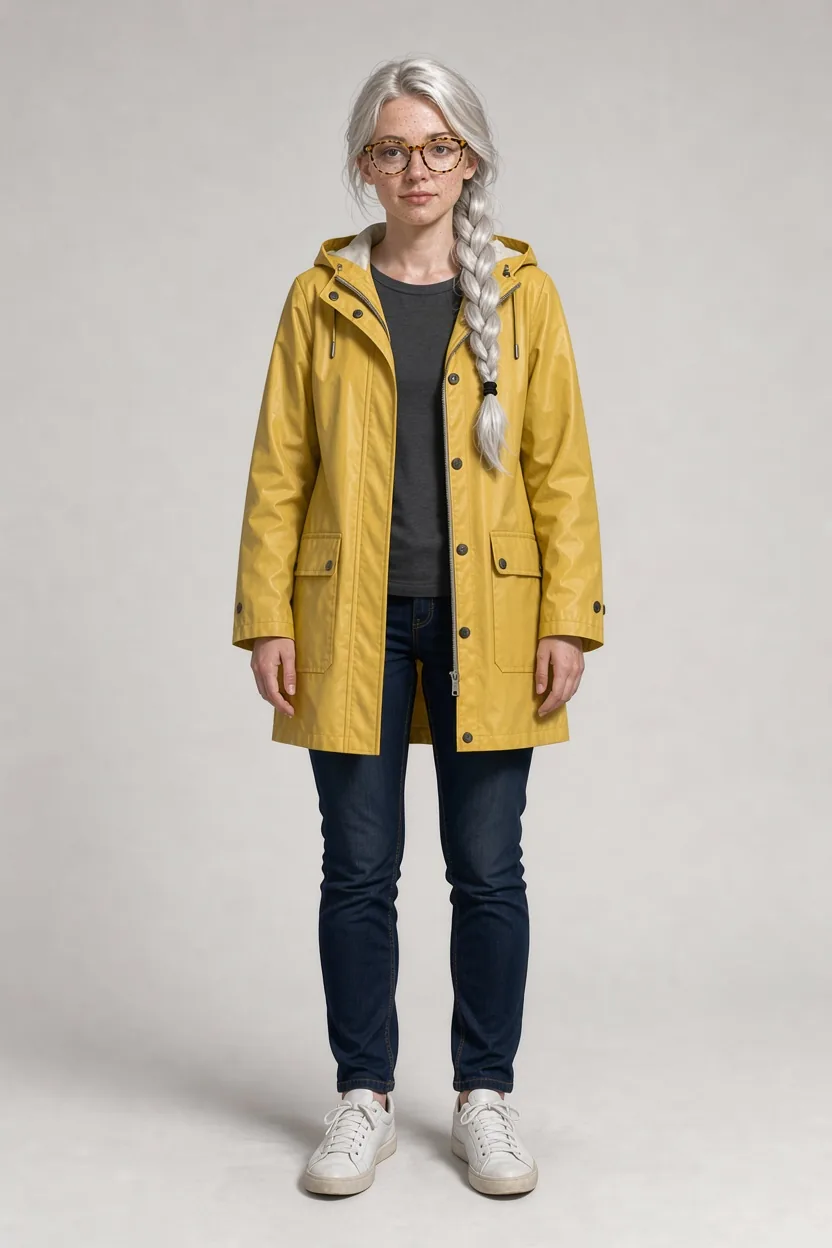
This is the reference we used for every image below. We generated it with FLUX 3 Image as a semi-realistic digital painting: full body, facing the viewer, plain light grey background, and a few strong traits that are easy to check later. Those traits are the long silver-white braid, freckles, round tortoiseshell glasses and a yellow raincoat.
A good reference has the whole character in view, even lighting and nothing in the background to confuse the model. Distinctive features help too, because they give FLUX 3 something specific to hold on to.
Consistent character, scene 1: a rainy café

The prompt placed "the woman from image 1" at a window table in a busy café, reading a paperback, with rain on the glass. It ended with a keep list: face, freckles, braid, glasses and raincoat, in the same digital painting style.
The braid, the round glasses and the mustard-yellow coat carried over, and the face reads as the same person. FLUX 3 changed what it was asked to change (pose, setting, light) and kept the character consistent.
Consistent character, scene 2: on a bike by the canal
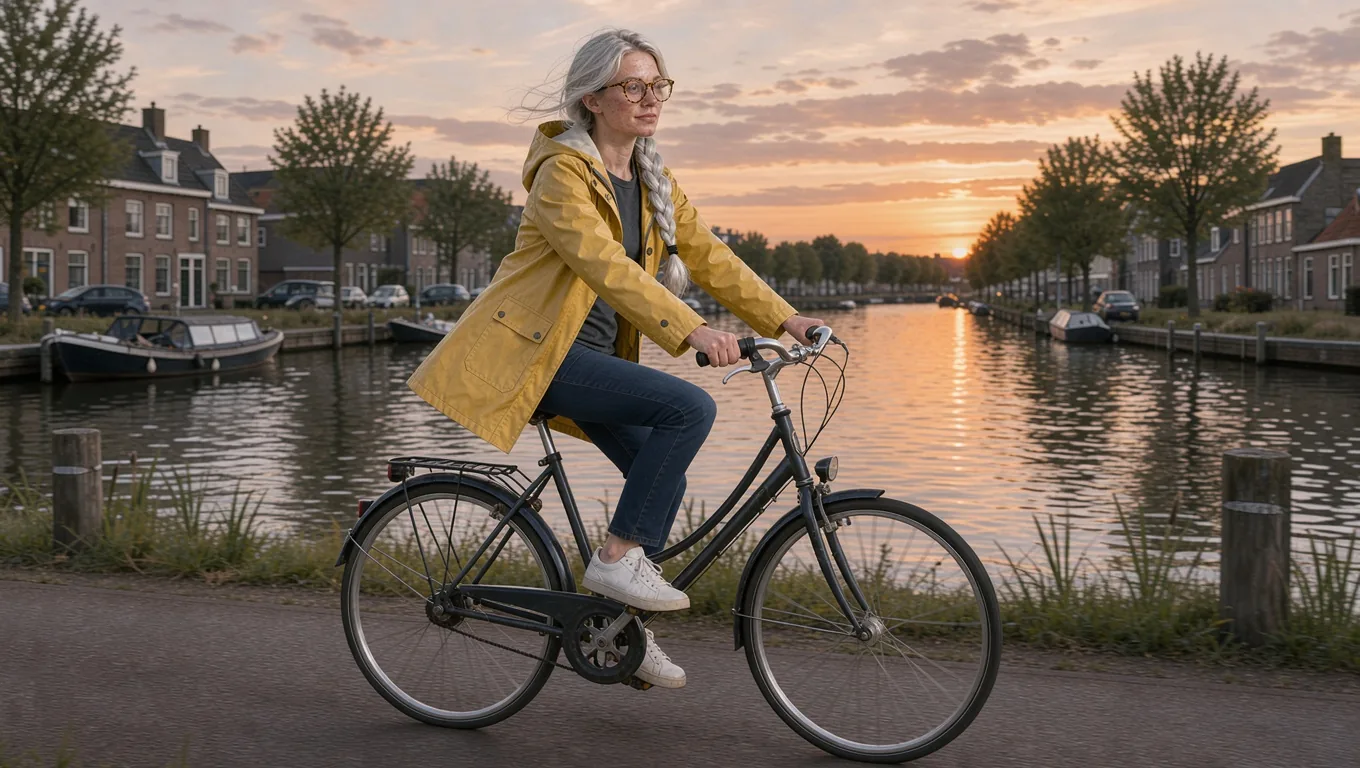
Same reference, new prompt: riding a bicycle along a canal at sunset, side view, raincoat flapping in the wind. A side view is harder than the front-facing reference, because the model has to infer how the character looks from an angle it has never seen. The braid, glasses and coat still match.
For action scenes, describe the pose plainly ("side view", "mid-stride", "looking over her shoulder") and keep the keep list the same in every prompt.
Make a FLUX character sheet
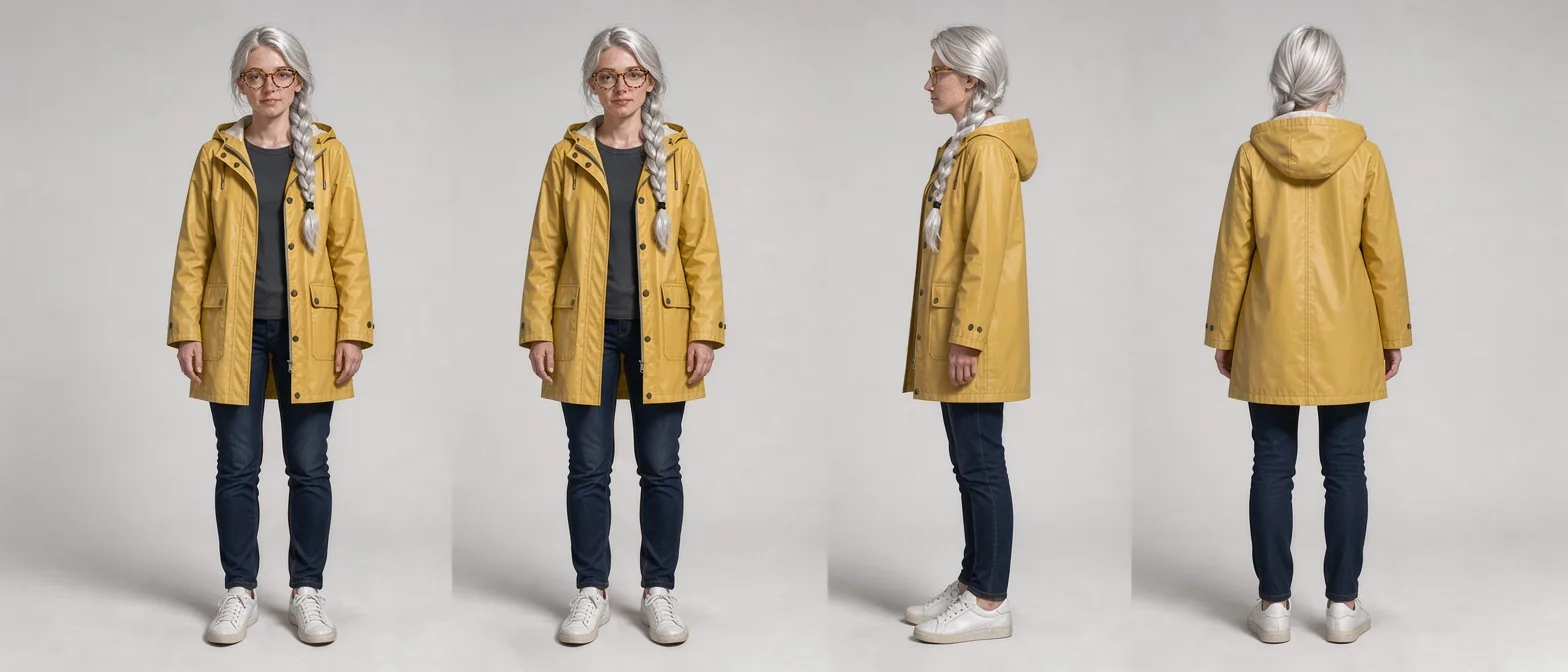
A character sheet (also called a turnaround) shows the character from several angles on one canvas. We asked FLUX 3 Image for front, three-quarter, side and back views in a row, at 21:9 so all four fit. The proportions, outfit and braid are consistent across the views, and the back view shows the hood and coat seams.
Sheets like this make a strong consistent character reference in their own right. Upload the sheet together with the original image for later scenes, and FLUX 3 can see the character from more angles.
FLUX consistent character prompt template
Copy this structure and fill in the brackets:
The [character] from image 1 [action] in [setting], [light and time of day], [camera angle]. Keep [face details], [hair], [accessories] and [outfit] exactly the same, in the same [art style].
Three rules make it work:
- Use the same keep list every time. Changing the wording from one prompt to the next invites the model to change the character too.
- Name the art style. "Semi-realistic digital painting" or "flat cartoon" keeps the rendering stable, not just the features.
- Change one big thing per image. New setting or new outfit, not both at once, unless the outfit comes from its own reference image.
Uses for FLUX character consistency
Where a FLUX consistent character pays off:
- Picture books and comics: the same protagonist on every page.
- Brand mascots: one mascot in seasonal or campaign scenes.
- Game and animation concepts: turnarounds, expressions and poses for a pitch.
- Storyboards: one cast across a sequence of shots.
- Outfits and props: add a second reference with clothing or an object, as explained on the FLUX multi image page.
Do I need to train a LoRA for a consistent character in FLUX?
No. FLUX 3 Image keeps a character consistent from reference images alone, with no training step. Upload one clear reference, describe the new scene, and list the features that must stay the same. That is the whole consistent character workflow.
Can FLUX Kontext do character consistency?
Yes, for single-photo edits. FLUX.1 Kontext is known for character consistency across edits of one image. FLUX 3 Image adds multiple references per request and 4K output, which helps for character sheets and longer series.
Can I use a photo of a real person as the character?
Only photos you have the right to use, such as your own or those of people who agreed. flux-3image refuses requests that break its content policy, and you are responsible for the images you upload.
Why does my character change slightly between images?
Some drift is normal even with good character consistency, mostly in small details such as jewelry or buttons. Return to the original reference for each new scene instead of chaining edits, keep the same keep list, and add a character sheet as a second reference.
How many credits does a consistent-character image cost?
Each image is a FLUX 3 Image edit: 2 credits at 1K plus 2 per reference. With one reference at 1K, you pay the base price plus one reference charge.
Updated