
| Model | FLUX 3 Image by Black Forest Labs, edit mode, called through the fal API |
|---|---|
| Reference images | 1 to 10 per request, each at least 256 px on both sides; large uploads are resized before sending |
| Output size | 1K, 2K or 4K; auto aspect ratio follows image 1, or pick one of 14 fixed ratios |
| Waiting | Results usually arrive while you stay on the page; more references and larger sizes take longer |
| Credits per image | 2 at 1K, plus 2 for each reference image |
| Commercial use | Allowed for all users, per our Terms, if you have the rights to the images you upload |
| What it can't do | No masks, no LoRA training; it won't always copy logos or fine print from a reference exactly |
Can FLUX Kontext use multiple images?
FLUX.1 Kontext was built around one input image, so multi-image work with Kontext usually meant stitching pictures side by side or using experimental multi-image endpoints. FLUX 3 Image handles multiple images directly: you upload as many as ten references, refer to each by number, and say what each one contributes to the result.
That is why this page runs FLUX 3 Image rather than Kontext. If you searched for "FLUX Kontext multi image" or "FLUX Kontext multiple images", you most likely want exactly this: several pictures in, one coherent picture out. Kontext is still the right tool for quick single-photo edits, and has its own page.
Three product photos in, one room out
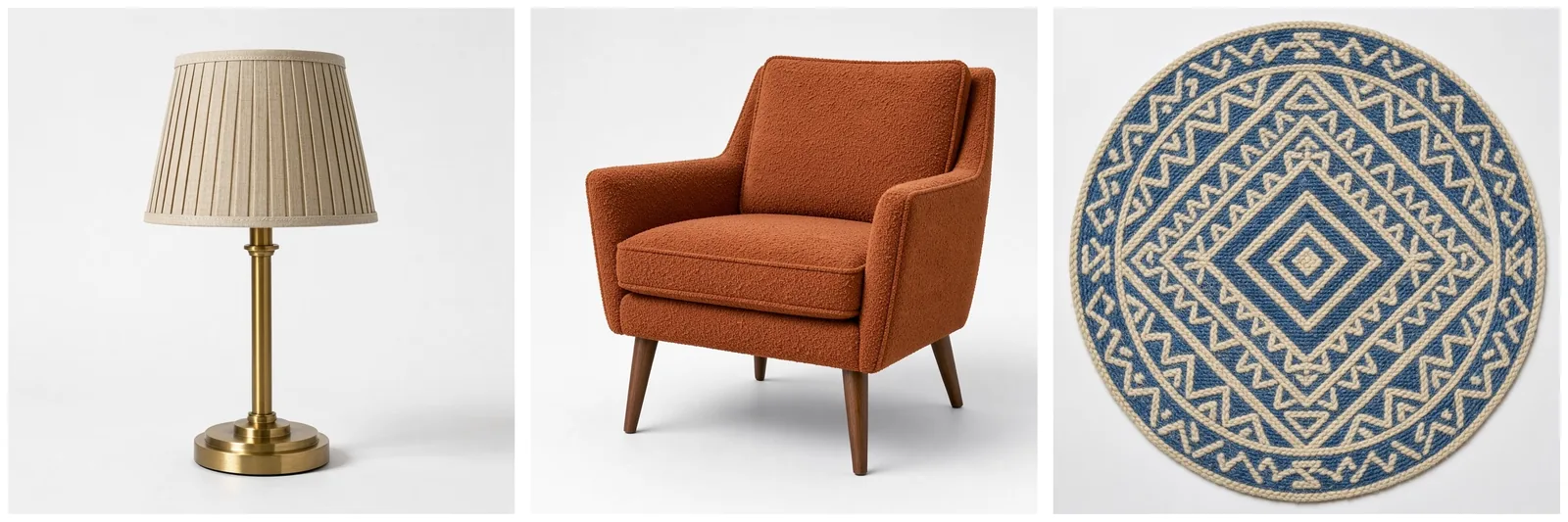
These are the three references for the next two examples. All three were generated as plain product shots on white: a brass lamp (image 1), a rust bouclé armchair (image 2) and a round geometric rug (image 3). Isolated products like these are the easiest references for FLUX 3 to read, because nothing in the background competes with the object.
Result 1: a sunny reading corner
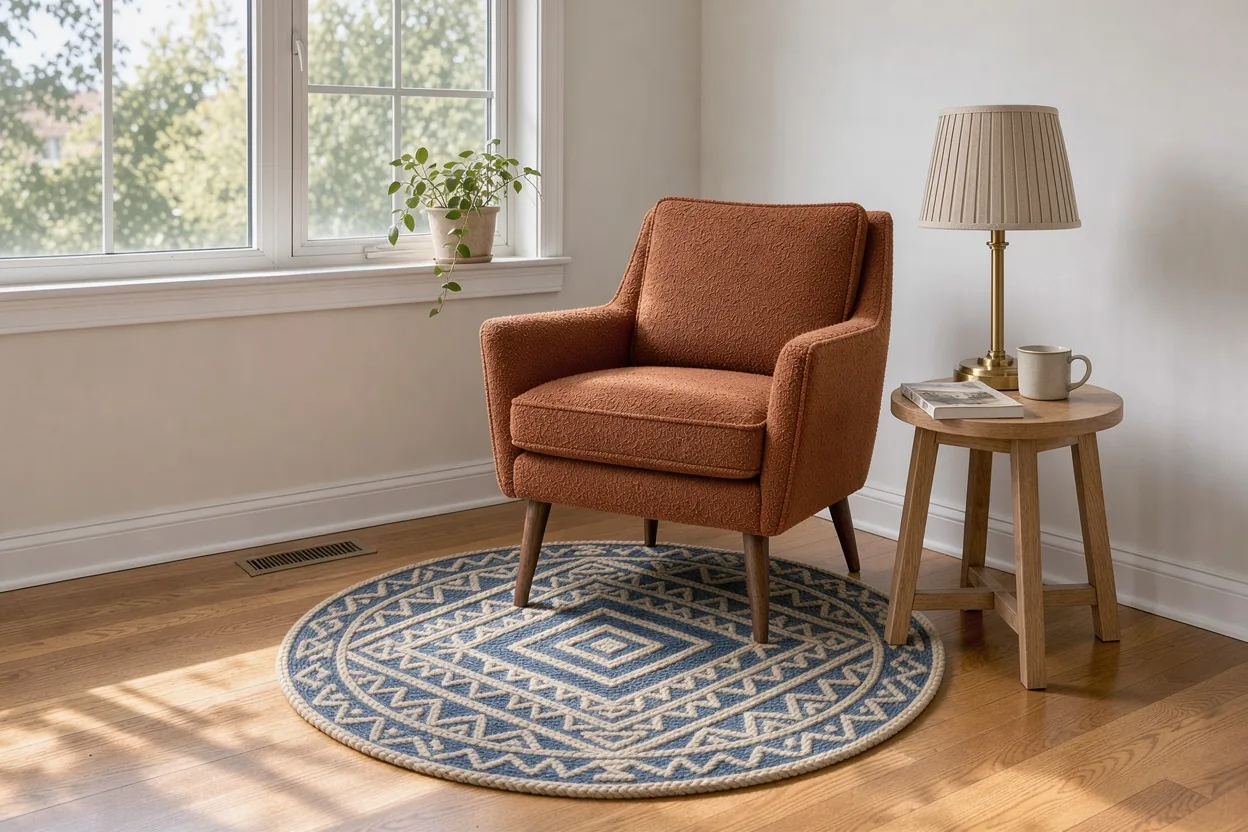
The prompt named each image by number: the armchair from image 2 by a tall window, the lamp from image 1 on a small oak side table, the rug from image 3 under the chair, afternoon sun. FLUX 3 Image kept the pleated shade, the brass stem, the walnut legs and the blue diamond pattern of the rug, and lit all three with the same window light.
Notice what it added on its own: the side table, a mug, a plant on the windowsill, a floor vent. Anything you don't specify, FLUX 3 fills in to make the room believable. If you want fewer extras, say so ("no other furniture").
Result 2: same products, different mood
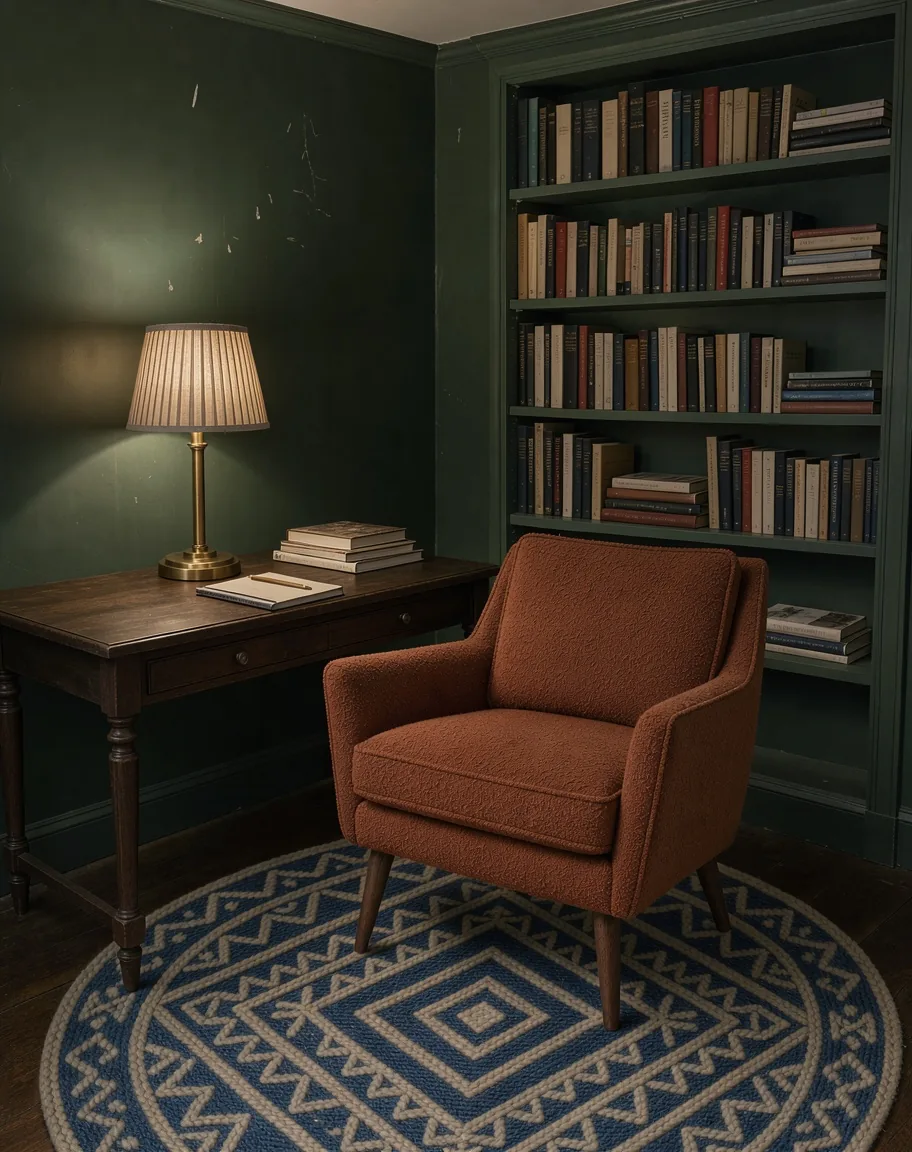
Same three references, new prompt: a dark green study at night, the lamp switched on as the only light source, the armchair angled toward a bookshelf, the rug underneath. We also switched the aspect ratio to 4:5 for a social feed.
The products still match their references, while the light, wall color and camera angle are new. This is how one set of product photos turns into a whole campaign: keep the references, change the scene description.
How to write a FLUX multi image prompt
- Upload the references in a sensible order. Image 1 sets the output shape when aspect ratio is on auto, so put the main scene or hero product first.
- Refer to each image by number. "The armchair from image 2" is clearer to FLUX 3 than "the chair".
- Say what each image contributes. An object, a person, a background, a color palette or a style.
- Place things in the scene. Left, right, on the table, under the chair, in the background.
- Describe the light once, for the whole scene, so every object looks like it belongs in the same room.
What to combine with FLUX multi image
- Product plus setting. A packshot and a photo of a kitchen, a beach or a shelf.
- Several products. A full outfit from separate item photos, or a furniture set from separate listings.
- Character plus props. One character reference plus objects they should hold or wear. See FLUX consistent character.
- Content plus style. A photo plus a painting or print whose look you want. See FLUX style transfer.
- Moodboard to image. Four or five images that share a palette or atmosphere, plus a short scene description.
Tips for cleaner FLUX multi image results
- Use clear references. One object per image, well lit, not cropped at the edges.
- Keep it to what you need. Every reference adds credits, and FLUX 3 balances ten inputs less precisely than three. Start with the fewest images that do the job.
- Fix one thing per re-run. If the lamp came out the wrong size, describe its size and leave the rest of the prompt alone.
- Use the result as a new reference. A good result from one request can be image 1 of the next.
How many images can FLUX 3 combine?
FLUX 3 Image accepts 1 to 10 reference images in one request. Each must be at least 256 pixels on both sides. On flux-3image, larger images are resized automatically before sending.
Does the order of reference images matter?
Yes, in two ways. You refer to images by their position ("image 2"), and image 1 sets the aspect ratio when you leave it on auto. Put the main scene or hero product first.
Can I combine photos of real people?
Only photos you have the right to use, such as your own photos or photos of people who agreed. flux-3image refuses requests that break its content policy, such as sexual content, and you are responsible for having permission to use every photo you upload.
Is FLUX multi image the same as FLUX Kontext multi?
No. FLUX.1 Kontext is designed around a single input image. FLUX multi image combining on flux-3image runs on FLUX 3 Image, which takes ten references in one request.
How many credits does a multi-image request use?
A FLUX 3 Image request costs 2 credits at 1K plus 2 per reference. A three-reference edit at 1K therefore costs the base price plus three reference charges. The total shows on the Generate button before you click.
Updated