

| Model | FLUX 3 Image by Black Forest Labs, edit mode, called through the fal API |
|---|---|
| Input | The image to restyle, plus a written style or a second image as the style reference (1 to 10 references in total) |
| Output size | 1K, 2K or 4K; auto keeps the shape of your first image |
| Waiting | Results usually arrive while you stay on the page; 2K and 4K take longer |
| Credits per image | 2 at 1K, plus 2 per reference image |
| Commercial use | Allowed for all users, per our Terms, for images you have the rights to |
| What it can't do | No style LoRA training, no saved style presets, no masks for restyling only part of an image |
How do you do style transfer with FLUX?
Upload the image you want to restyle as image 1. Then either describe the new style in words ("a loose watercolor with soft edges") or upload a second image whose look you want and write "in the style of image 2". Ask FLUX 3 Image to keep the composition of image 1, and it repaints the picture.
Earlier FLUX workflows needed extra tools for this. FLUX Redux style transfer meant wiring Redux, an image-variation adapter Black Forest Labs released for FLUX.1, into a ComfyUI graph. FLUX Kontext style transfer worked from a text prompt, one photo at a time. FLUX 3 Image does both kinds of FLUX style transfer, text-described and image-referenced, in one editing model.
The original photo
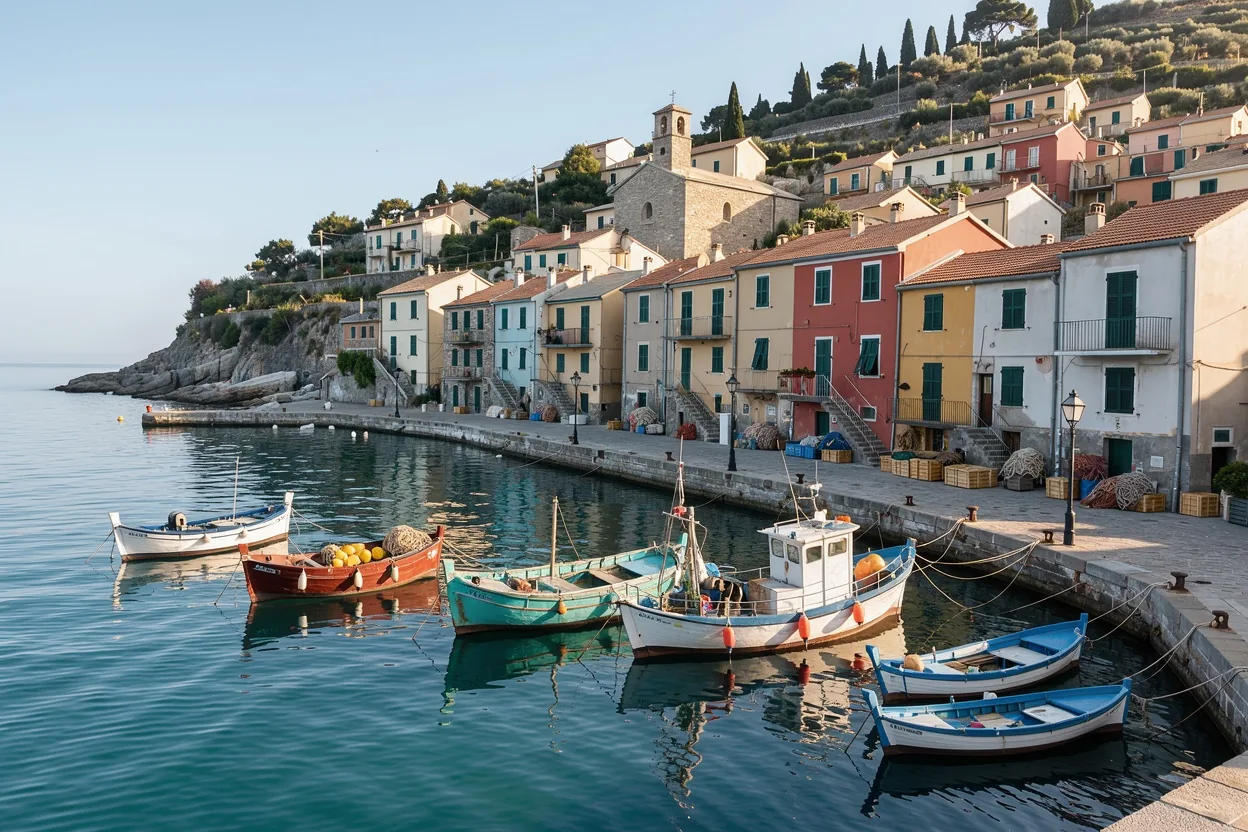
All examples on this page start from this harbor photo, which we generated with FLUX 3 Image. It has a clear structure for style transfer to preserve: the stacked houses, the quay running diagonally, and a row of small boats in the foreground.
Pictures with a strong, readable composition restyle most cleanly. Busy, low-contrast photos tend to turn muddy in painterly styles.
Style from words: a loose watercolor
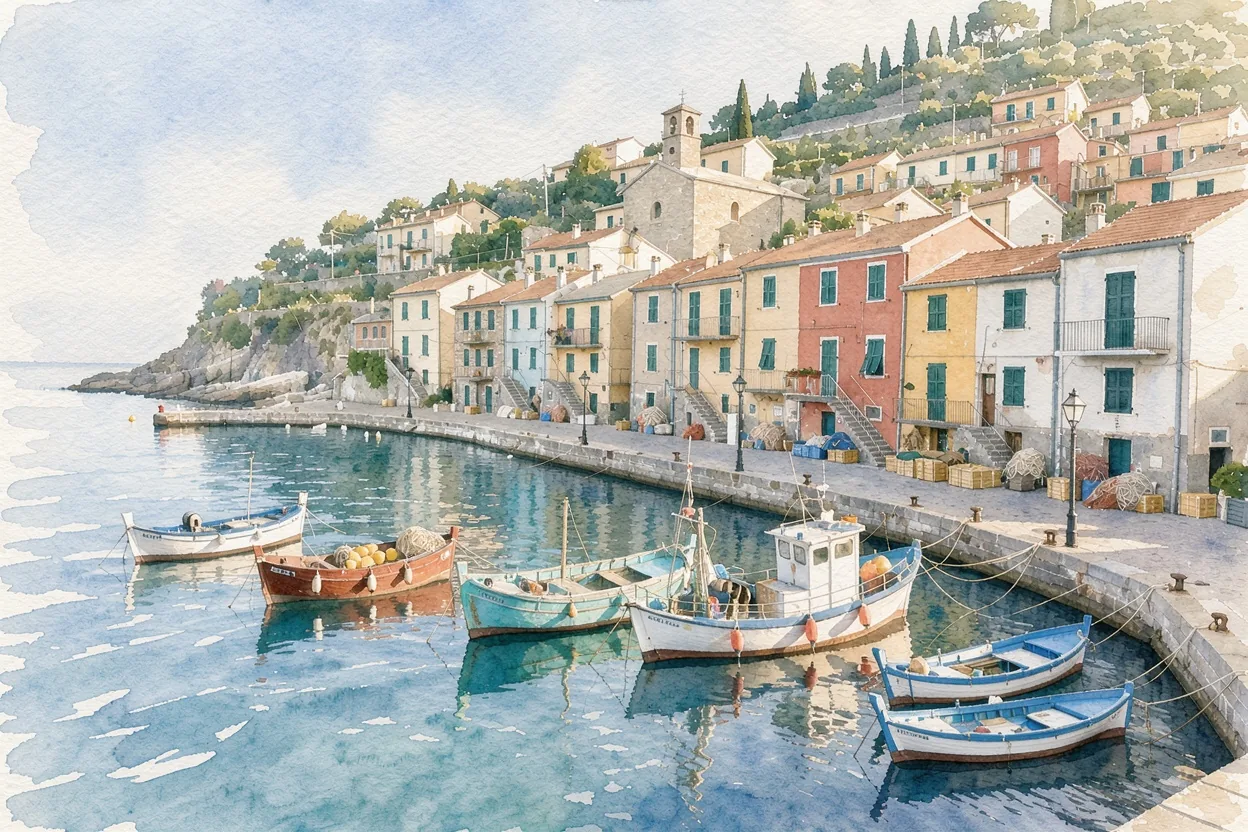
The first FLUX style transfer used only a text description: "Repaint image 1 as a loose watercolor painting with soft bleeding edges and visible paper texture. Keep the composition, houses and boats in the same places."
The houses, quay and boats sit exactly where they were, while the rendering changed completely: washed color, white paper showing through, soft edges in the water. Text-described styles work well for well-known techniques such as watercolor, oil, charcoal, pencil sketch, ukiyo-e or pixel art.
Style from a reference image
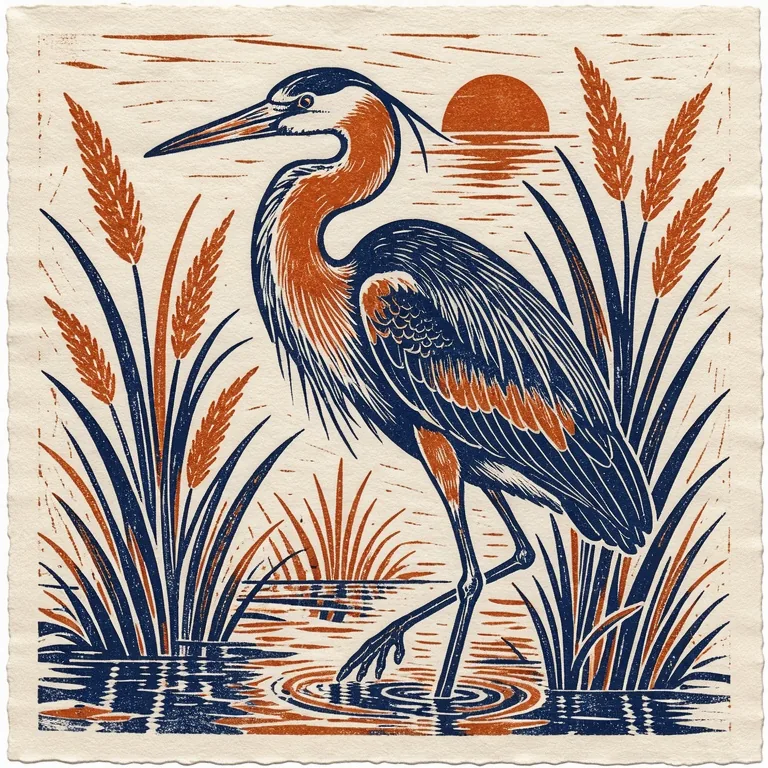
Some styles are easier to show than to describe. For the second example we made this linocut print of a heron, in deep indigo and burnt orange on cream paper, and uploaded it as image 2 next to the harbor photo.
The prompt: "Render the harbor town from image 1 in the style of image 2: a two-color linocut print in deep indigo and burnt orange on cream paper, with bold carved lines and ink texture. Keep the composition of image 1." Naming the key traits of the style reference in words, as well as uploading it, helps FLUX 3 pick out which qualities to copy.
The result: the harbor as a linocut
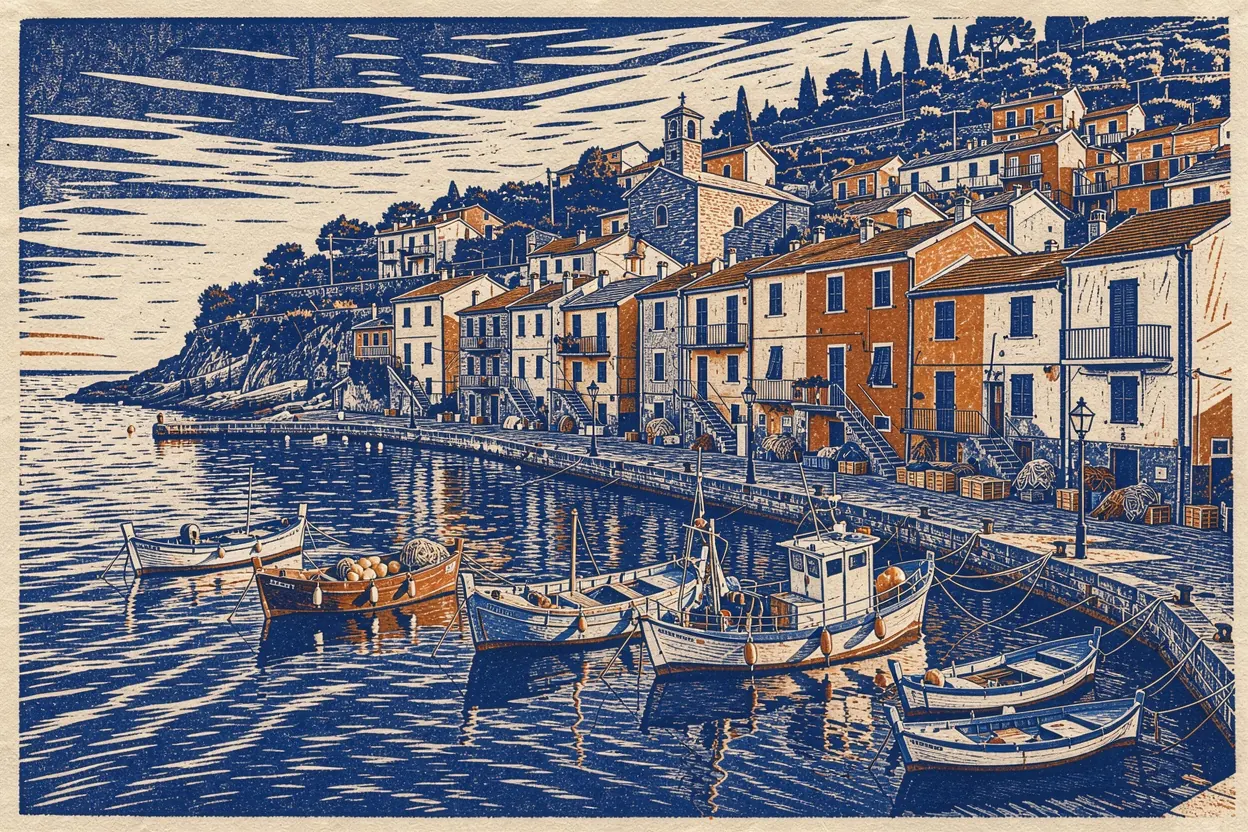
FLUX 3 Image carried over the carved-line texture, the indigo ink and the cream paper. The burnt orange shows up as accents on rooftops and boats rather than as a second full color. The composition of the photo stayed intact, down to the boats in the foreground.
That is typical of image-referenced style transfer: technique and palette transfer strongly, while the balance of colors follows the new subject. If you want a stronger second color, say where it should go ("orange roofs and orange boat hulls").
FLUX style transfer prompt tips
- Say what to keep. "Keep the composition of image 1" or "keep the faces recognizable" stops the style from rewriting the content.
- Name the medium and the marks. "Gouache with flat opaque color" works better than "artistic".
- Describe your style reference too. Upload it and summarize it in words: medium, palette, line quality.
- Use your own style references. Your own sketches, prints, brand illustrations or photos are ideal. Avoid copying a specific living artist's work.
- Try 2K for textured styles. Paper grain, brush strokes and ink texture come through better at 2K or 4K.
What people use FLUX style transfer for
- Brand illustration sets. Restyle stock or product photos into one consistent illustrated look.
- Gifts and prints. Turn a holiday photo into a watercolor or linocut for a card or poster.
- Concept art. Try one scene in several styles before committing to a direction.
- Social content. Keep a recognizable visual style across posts from different source photos.
- Interior and architecture. Present a design photo as a hand-drawn sketch for a softer client presentation.
Is FLUX Redux needed for FLUX style transfer?
No. FLUX Redux was an image-variation adapter for FLUX.1, often used in ComfyUI for style transfer. On flux-3image, style transfer runs on FLUX 3 Image, which reads the style reference directly. No adapter or workflow setup is needed.
Can FLUX Kontext do style transfer?
Yes, from a text description of the style, on one photo at a time. For style transfer from a separate style reference image, use FLUX 3 Image, which accepts the content and the style images in the same request.
Will style transfer change the people in my photo?
It can change how they are drawn, by design. To keep people recognizable, add "keep the faces and poses recognizable" to the prompt. Only upload photos of people who agreed to it.
Can I copy a famous artist's style?
Describe techniques and mediums instead of naming living artists. "Bold ink outlines with flat pastel color" is a technique anyone can use. Copying a specific living artist's style raises fairness and legal questions.
How many style references can I use?
FLUX 3 Image accepts 1 to 10 references per request, so you can combine one content image with several style examples. Each reference adds 2 credits.
Updated